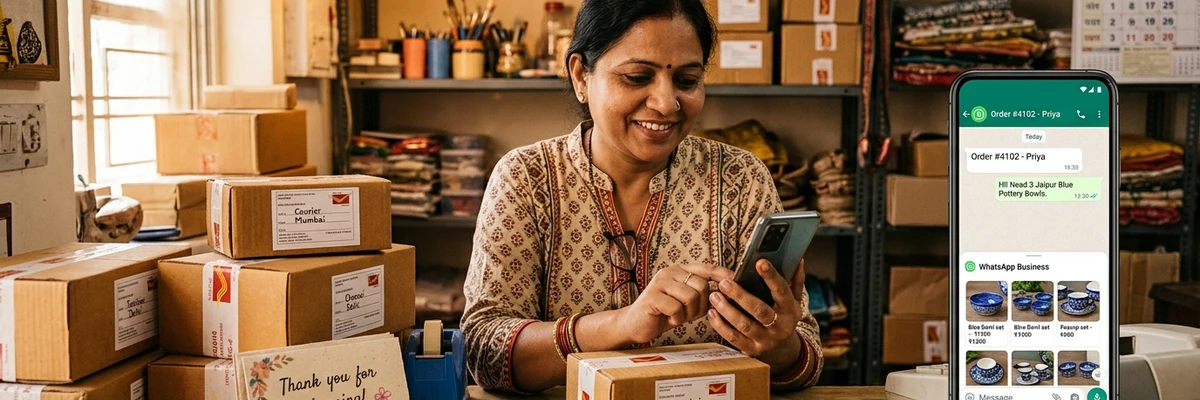
How small shops and service providers can use WhatsApp Business to answer customers faster, showcase products and win repeat sales.
For most local customers, WhatsApp is already the main way they message friends, family and businesses. If your shop or service takes enquiries and orders by phone and WhatsApp, using the free WhatsApp Business app can make you look more professional and save you hours every week.
What is WhatsApp Business?
WhatsApp Business is a free app built for small businesses. It looks and works like regular WhatsApp, but adds a business profile, a product catalogue, quick replies, labels and simple messaging tools. You can run it on a separate number from your personal WhatsApp.
Set up a complete business profile
Your profile is the first thing a new customer sees. Fill in:
- Business name and logo or a clear photo
- Category, short description and address (with a Maps link)
- Opening hours
- Email and website or social page, if you have them
A complete profile builds trust and reduces repeated questions such as "Where are you?" and "What time do you close?"
Build a catalogue
The catalogue lets you list products or services with photos, descriptions, prices and links. Customers can browse without asking you for pictures one by one. Use clear, well-lit photos and keep prices current. Even service businesses can list their main services with starting prices or sample work.
Save time with quick replies and automated messages
- Quick replies let you type a shortcut, such as "/hours" or "/address", and send a full prepared message.
- Greeting message welcomes new customers automatically and tells them what you can help with.
- Away message tells customers when you are closed and when you will reply.
These make you look organised, even when you are busy.
Use labels to keep track of customers
Labels such as "New enquiry", "Order placed", "Awaiting payment" and "Completed" help you see at a glance where each customer stands, so nobody is forgotten.
Broadcast lists: stay in touch with permission
Once customers have agreed to receive updates, you can send occasional messages about new stock, festival offers or reminders. Follow a few simple rules:
- Only message people who asked or agreed to hear from you.
- Keep messages short, useful and infrequent.
- Make it easy to opt out, and respect it immediately.
- Do not add people to groups without asking.
Make it easy to start a chat
Add a WhatsApp link or number to your signboard, visiting cards, social media pages and your Google Business Profile. A link with a ready-to-send message, such as "Hi, I would like to know more about your services," makes it one tap for the customer.
Respond quickly and politely
Speed matters. Customers who message several businesses often buy from the one that answers first. Try to reply within a few minutes during working hours, and if you cannot, use an away message so they know when to expect a response.
Keep it personal and professional
People choose local businesses because they want a human touch. Use customers' names, say thank you, and confirm orders and delivery times clearly. Keep jokes, forwards and chain messages out of business chats.
Protect your customers' privacy
Never share a customer's phone number or personal details with others without permission, and keep payment details secure. Trust is hard to rebuild once lost.
Combine WhatsApp with being easy to find
WhatsApp helps once customers have found you. To help them find you in the first place, make sure your business is listed on Google Maps and in the local business directory with the right phone number.